> ## Documentation Index
> Fetch the complete documentation index at: https://docs.innate.bot/llms.txt
> Use this file to discover all available pages before exploring further.
# Phone and Web Apps
> Two ways to control MARS: the Innate Controller App and the browser web app
Both apps talk to the same robot. Use the **phone app** for setup and quick control, and the **web app** on a laptop for data collection, training, settings, and logs.
| | Phone app | Web app |
| ----------------------------------- | --------- | ------------------------------ |
| First-time setup (Bluetooth, Wi-Fi) | Yes | No |
| Drive, head, speech, leader arm | Yes | Yes (arm needs Chrome or Edge) |
| Run agents and skills | Yes | Yes |
| Record, train, deploy skills | Yes | Yes |
| Settings, logs, Brain view | No | Yes |
The robot has one camera stream. If both apps show video at the same time, they keep stealing it from each other. Close one first.
## Phone app
Direct APK download.
Join the iOS beta on TestFlight.
### Connect the phone app
Open the app. Tap your robot when it appears over Bluetooth.
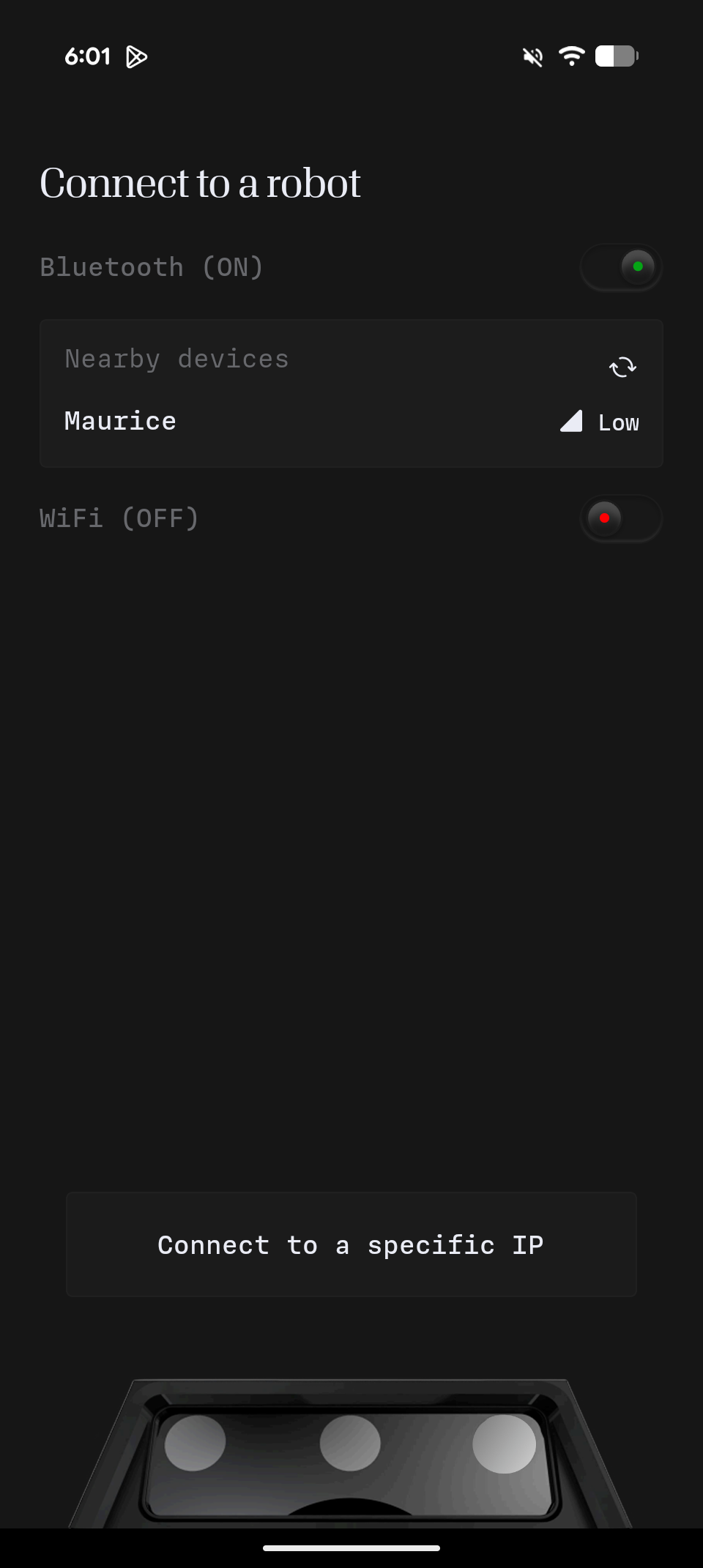 If the robot is on the same network as your phone, tap **Connect**. Otherwise tap **Change Robot WiFi** and pick a network. A phone hotspot works.
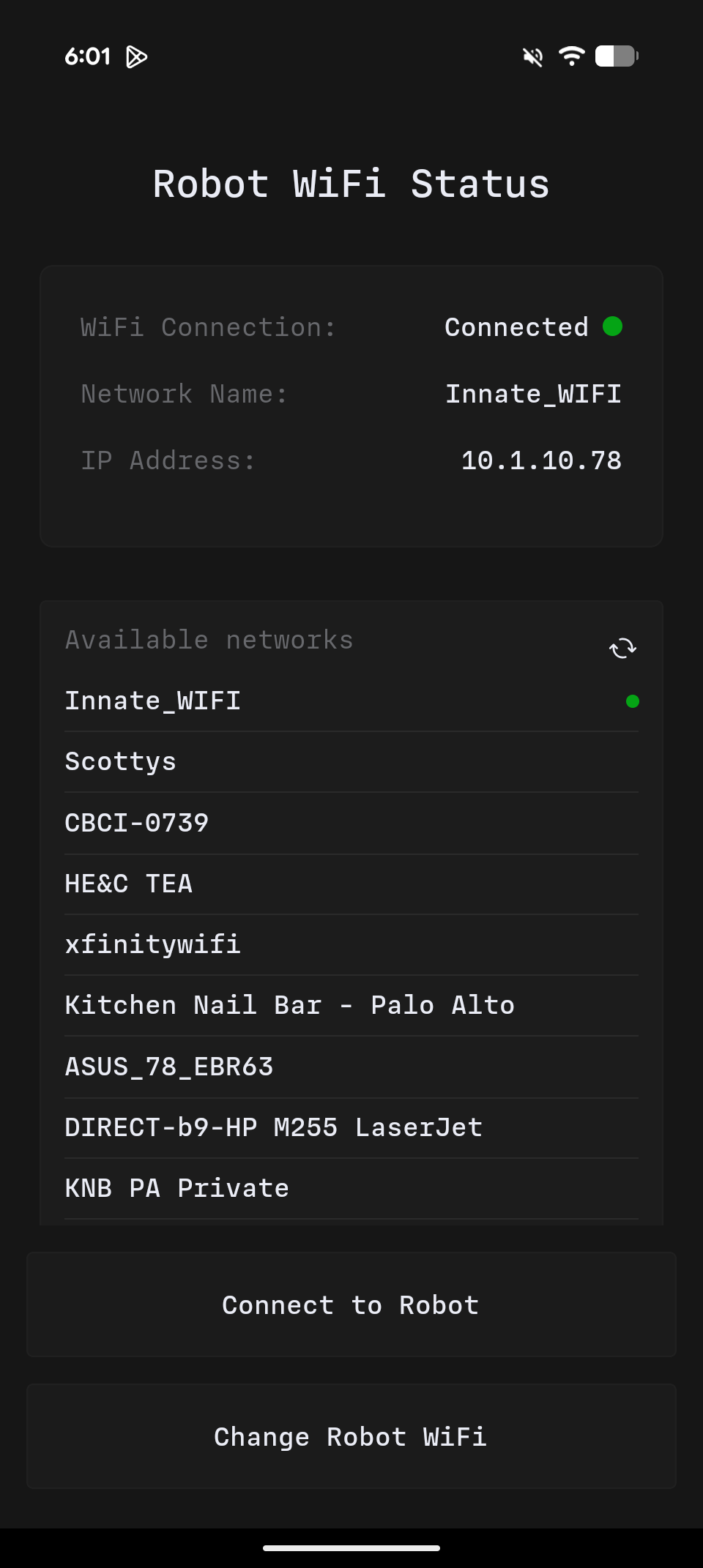 Once connected, **Configuration → WiFi** shows the robot's IP address and hostname. You need them for [SSH](/robots/mars/connecting-via-ssh) and the web app.
**Using an iPhone?** The leader arm connects over USB-C and doesn't work with iOS devices yet. Ping us on [Discord](https://discord.com/invite/KtkyT97kc7) and we'll get you a free Android phone for leader arm teleoperation.
## Web app
Open the robot's IP address in a browser, for example `https://192.168.1.42`. Accept the self-signed certificate once per machine. The `.local` hostname also works but is slower to resolve.
Once connected, **Configuration → WiFi** shows the robot's IP address and hostname. You need them for [SSH](/robots/mars/connecting-via-ssh) and the web app.
**Using an iPhone?** The leader arm connects over USB-C and doesn't work with iOS devices yet. Ping us on [Discord](https://discord.com/invite/KtkyT97kc7) and we'll get you a free Android phone for leader arm teleoperation.
## Web app
Open the robot's IP address in a browser, for example `https://192.168.1.42`. Accept the self-signed certificate once per machine. The `.local` hostname also works but is slower to resolve.
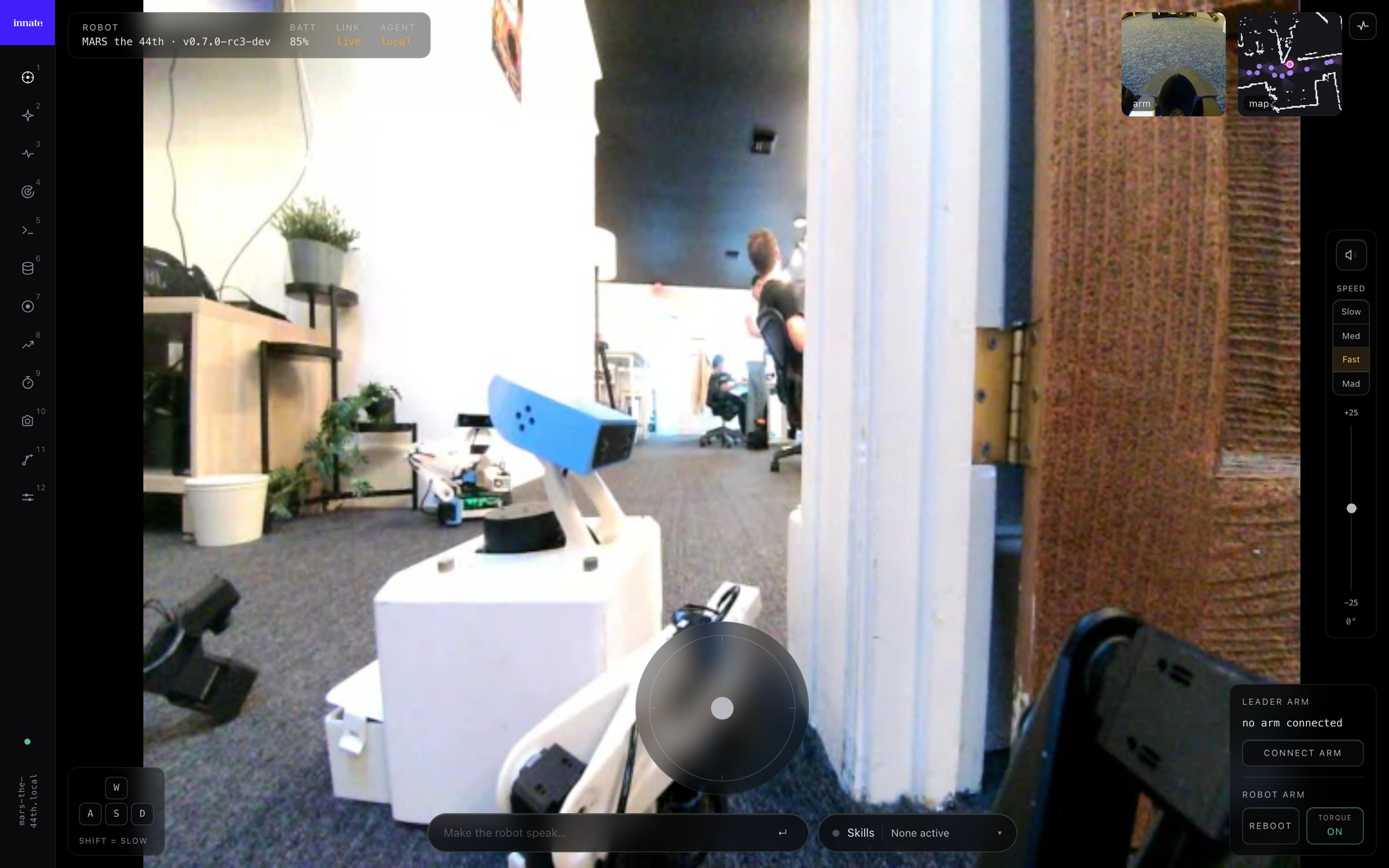 | Page | Use it to |
| -------------------------- | ---------------------------------------------------------------------------------------------------- |
| **Teleop** | Drive, move the arm and head, speak, and [run skills](/software/skills#run-a-skill-manually) |
| **Agent** | Start an agent and chat with it |
| **Brain** | Watch each turn of the agent loop. See [How the agent decides](/software/agent-loop#watch-it-think). |
| **Collect** / **Datasets** | [Record](/training/data-collection) and replay demonstrations |
| **Training** | [Launch and monitor](/training/train-act-policy) training runs |
| **Nav** | Browse maps and [spatial memory](/software/skills/code-defined-skills/spatial-memory) |
| **Settings** | Edit [configuration](/software/configuration) as a form |
| **Logging** | Read every log on the robot, without SSH |
### Logging
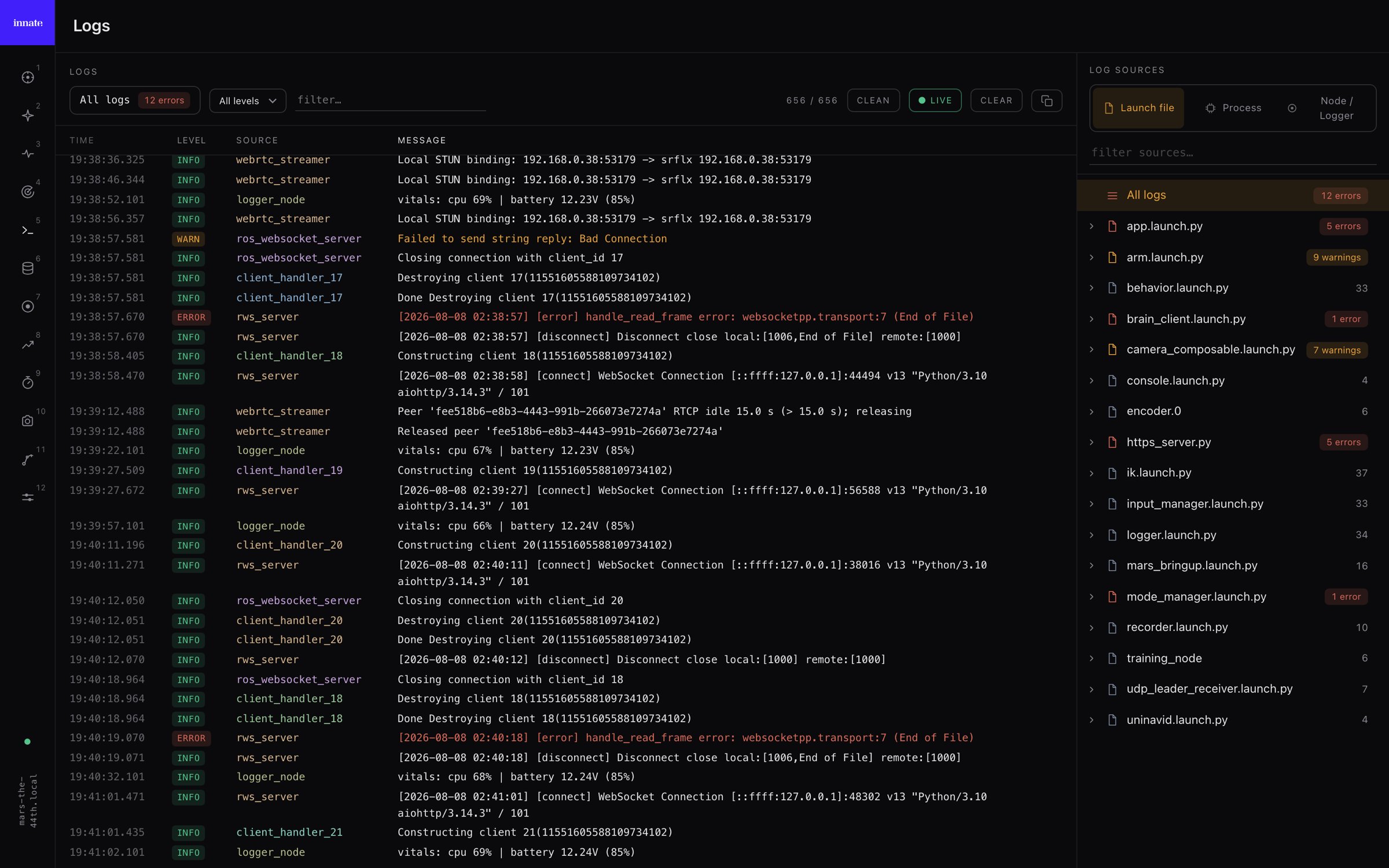
The **Logging** page streams the robot's full console, including output that never reaches `/rosout`. Pick a source on the right (launch file, process, or node) to filter. Sources with errors are tinted, so problems stand out.
| Page | Use it to |
| -------------------------- | ---------------------------------------------------------------------------------------------------- |
| **Teleop** | Drive, move the arm and head, speak, and [run skills](/software/skills#run-a-skill-manually) |
| **Agent** | Start an agent and chat with it |
| **Brain** | Watch each turn of the agent loop. See [How the agent decides](/software/agent-loop#watch-it-think). |
| **Collect** / **Datasets** | [Record](/training/data-collection) and replay demonstrations |
| **Training** | [Launch and monitor](/training/train-act-policy) training runs |
| **Nav** | Browse maps and [spatial memory](/software/skills/code-defined-skills/spatial-memory) |
| **Settings** | Edit [configuration](/software/configuration) as a form |
| **Logging** | Read every log on the robot, without SSH |
### Logging
The **Logging** page streams the robot's full console, including output that never reaches `/rosout`. Pick a source on the right (launch file, process, or node) to filter. Sources with errors are tinted, so problems stand out.