> ## Documentation Index
> Fetch the complete documentation index at: https://docs.innate.bot/llms.txt
> Use this file to discover all available pages before exploring further.
# Train with LeRobot
> Record demonstrations, train any LeRobot policy on your own GPU, and run it on MARS
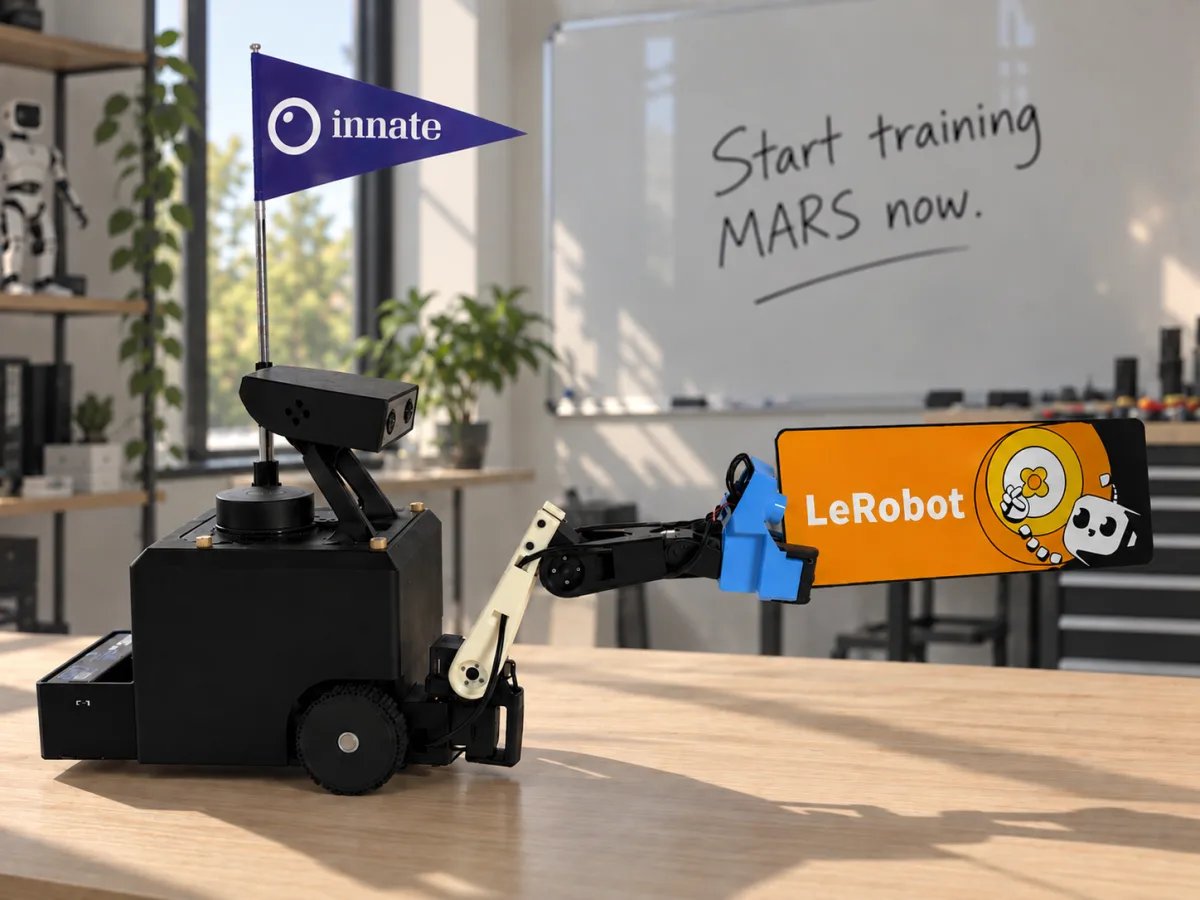 MARS is a [LeRobot](https://github.com/huggingface/lerobot) robot. With the standard LeRobot commands and `--robot.type=mars`, you record a dataset, train ACT, Diffusion Policy, SmolVLA, π0 or another LeRobot policy on your own GPU, and run it on the robot.
LeRobot runs on your computer. It talks to a bridge that ships with Innate OS, over your network, and never touches ROS. Every command on this page runs on your computer.
A LeRobot policy isn't a [skill](/software/skills): it runs from your computer, and agents and other skills can't call it. For a skill the robot runs on its own, train ACT [in the Innate cloud](/training/overview) instead.
| Step | You end with |
| - | - |
| [1. Set up](#1-set-up) | Live camera and joint plots of your robot on your computer |
| [2. Record](#2-record-a-dataset) | A dataset of demonstrations |
| [3. Replay](#3-replay-an-episode) | Proof that what you recorded is what the robot did |
| [4. Train](#4-train-a-policy) | A trained policy checkpoint |
| [5. Run](#5-run-the-policy) | The robot doing the task on its own |
An example dataset recorded this way: [innate-inc/mars-pick-tv](https://huggingface.co/datasets/innate-inc/mars-pick-tv).
## Before you begin
| You need | Check |
| - | - |
| MARS on Innate OS 0.8.0 or newer | `innate update status` on the robot. [Update](/robots/mars/updates-and-maintenance#update-innate-os) if it's older. |
| A Mac or Linux computer on the same network as the robot | `ping` the robot's IP address |
| [uv](https://docs.astral.sh/uv/getting-started/installation/) and git | `uv --version` |
| For training: an NVIDIA GPU or Apple Silicon | `nvidia-smi` on Linux. Recording and replay don't need a GPU. |
| Optional: a [Hugging Face](https://huggingface.co/join) account | Needed only to upload datasets and policies |
## 1. Set up
```bash On your computer theme={"languages":{"custom":["/languages/python-typed.json"]}}
git clone https://github.com/innate-inc/innate-os.git
cd innate-os/lerobot
uv sync
```
`uv sync` installs LeRobot and the MARS plugin in `.venv`. Run every command on this page from this `lerobot` folder.
```bash theme={"languages":{"custom":["/languages/python-typed.json"]}}
export MARS_HOST=192.168.1.42
```
Replace `192.168.1.42` with your robot's IP address. It's in the phone app under **Configuration → WiFi**, or run `hostname -I` on the robot. Set it in every new terminal.
```bash theme={"languages":{"custom":["/languages/python-typed.json"]}}
uv run lerobot-teleoperate --robot.type=mars --robot.external_commands=true \
--teleop.type=mars_passthrough --display_data=true
```
The terminal prints:
```text theme={"languages":{"custom":["/languages/python-typed.json"]}}
Connected to the MARS bridge at 192.168.1.42
```
A [Rerun](https://rerun.io/) window opens with both cameras and live joint plots. Drive the robot from the phone app or the web app and watch the plots move. Stop with Ctrl+C.
If it says `No 'obs' messages from the MARS bridge`, check `MARS_HOST`, and check the robot's **Logging** page for `LeRobot bridge listening on :5555`.
Datasets are named `account/dataset`, like GitHub repositories. To upload later, log in and use your Hugging Face name:
```bash theme={"languages":{"custom":["/languages/python-typed.json"]}}
uv run hf auth login
export HF_USER=$(uv run hf auth whoami | sed -n 's/^user=\([^ ]*\).*/\1/p')
echo $HF_USER
```
`hf auth login` needs a token with **write** permission from [huggingface.co/settings/tokens](https://huggingface.co/settings/tokens). To stay offline, skip the login and set any name, for example `export HF_USER=me`.
## 2. Record a dataset
Drive the robot the way you already do: the phone app, the web app's **Teleop** page, or the leader arm. LeRobot records what you command.
```bash theme={"languages":{"custom":["/languages/python-typed.json"]}}
uv run lerobot-record \
--robot.type=mars --robot.external_commands=true \
--teleop.type=mars_passthrough \
--dataset.repo_id=$HF_USER/mars-tidy-up --dataset.no_stamp=true \
--dataset.single_task="Put the ball in the box" \
--dataset.fps=30 --dataset.num_episodes=10 \
--dataset.private=true --dataset.push_to_hub=false
```
| Key | Does |
| - | - |
| Right arrow | End this episode and start the next |
| Left arrow | Discard this episode and record it again |
| Escape | Stop and save |
When it finishes, the dataset is in `~/.cache/huggingface/lerobot/$HF_USER/mars-tidy-up`, with `data/`, `meta/`, and `videos/` folders. To check the cameras, open an episode in the viewer:
```bash theme={"languages":{"custom":["/languages/python-typed.json"]}}
uv run lerobot-dataset-viz --repo-id $HF_USER/mars-tidy-up --episode-index 0
```
* **Start small, then grow.** Record 10 episodes, take them through replay below, then record more. Fifty clean episodes of one task, with the object placed a little differently each time, make a good first dataset.
* **Add episodes** by running the same command with `--resume=true --dataset.root=$HOME/.cache/huggingface/lerobot/$HF_USER/mars-tidy-up`. `num_episodes` then counts this session only.
## 3. Replay an episode
Before you train, play an episode back on the robot. If the replay doesn't match what you did, training on that data won't work either.
First leave teleop in the phone app and the web app. While either one teleoperates, its commands win over LeRobot's.
```bash theme={"languages":{"custom":["/languages/python-typed.json"]}}
uv run lerobot-replay --robot.type=mars \
--dataset.repo_id=$HF_USER/mars-tidy-up --dataset.episode=0
```
The robot repeats episode 0: the same arm motion, the same driving, and the head at the angle you recorded at.
## 4. Train a policy
Training runs on your computer. Start with ACT: it's small, trains quickly, and works with tens of episodes.
```bash theme={"languages":{"custom":["/languages/python-typed.json"]}}
uv run lerobot-train \
--dataset.repo_id=$HF_USER/mars-tidy-up \
--policy.type=act --policy.device=cuda \
--output_dir=outputs/train/act_mars --job_name=act_mars \
--steps=20000 --batch_size=8 --save_freq=5000 \
--policy.push_to_hub=false --wandb.enable=false
```
```bash theme={"languages":{"custom":["/languages/python-typed.json"]}}
uv run lerobot-train \
--dataset.repo_id=$HF_USER/mars-tidy-up \
--policy.type=act --policy.device=mps \
--output_dir=outputs/train/act_mars --job_name=act_mars \
--steps=20000 --batch_size=8 --save_freq=5000 \
--policy.push_to_hub=false --wandb.enable=false
```
The log prints the loss as training runs, and it should fall. A checkpoint is saved every 5,000 steps in `outputs/train/act_mars/checkpoints/`, and `last` points at the newest. 20,000 steps is a good first pass; LeRobot's default is 100,000.
* **Out of GPU memory:** lower `--batch_size` and add `--policy.use_amp=true`.
* **Another policy:** install its extra, then change `--policy.type`. For example `uv sync --extra smolvla`, then `--policy.type=smolvla`. The extras are `diffusion`, `smolvla`, and `pi`.
* **Another machine:** upload the dataset (see [Share on Hugging Face](#optional-share-on-hugging-face)), run [step 1](#1-set-up) there, and run the same command. It downloads the dataset.
## 5. Run the policy
The arm and the base move on their own while a policy runs. Clear the space around the robot, and keep Ctrl+C ready: it stops the policy, and the base stops within half a second.
Put the robot back in the scene you recorded in, leave teleop in both apps, then run:
```bash theme={"languages":{"custom":["/languages/python-typed.json"]}}
uv run lerobot-rollout --strategy.type=base \
--policy.path=outputs/train/act_mars/checkpoints/last/pretrained_model \
--policy.device=cuda \
--robot.type=mars --task="Put the ball in the box" --duration=60
```
```bash theme={"languages":{"custom":["/languages/python-typed.json"]}}
uv run lerobot-rollout --strategy.type=base \
--policy.path=outputs/train/act_mars/checkpoints/last/pretrained_model \
--policy.device=mps \
--robot.type=mars --task="Put the ball in the box" --duration=60
```
The head moves to the angle the dataset was recorded at, and the robot starts the task. The policy runs on your computer and streams actions to the robot. It doesn't know when the task is done, so the run ends after `--duration` seconds.
If it fails in a particular way, record more episodes that cover it, train again, and run again.
## Optional: share on Hugging Face
Upload a dataset you recorded, so you can train on another machine or share it:
```bash theme={"languages":{"custom":["/languages/python-typed.json"]}}
uv run mars-push $HF_USER/mars-tidy-up --private
```
Leave out `--private` to make it public. Public datasets also open in LeRobot's [dataset visualizer](https://huggingface.co/spaces/lerobot/visualize_dataset). To upload at the end of every recording session instead, leave out `--dataset.push_to_hub=false` when you record.
## Record in the apps instead
You can [record in the web app or the phone app](/training/data-collection) and train with LeRobot. The robot records the cameras on board at 30 fps, so on a real robot this is usually more robust than recording over Wi-Fi. Datasets recorded before 0.8.0 work too.
[Publish it to Hugging Face](/training/data-collection#share-on-hugging-face) from the web app's **Datasets** page, then train and run from [step 4](#4-train-a-policy).
## Use the simulator
To try this without a robot, start the [simulator](/simulator/setup) and set `export MARS_HOST=localhost`. Every command on this page then works against the simulated robot. Drive it from its web app.
The simulator renders the head camera at 10 fps and the wrist camera at 6 fps, so a 30 fps dataset repeats frames. To render at the real robot's 15 and 30 fps, restart it with `INNATE_SIM_HARDWARE_CAMERA_RATES=1 ./innate-sim up`. This needs a GPU on your computer.
## Reference
### Dataset features
| Feature | dtype · shape | Contents |
| - | - | - |
| `observation.state` | float32 · (6,) | `joint1.pos` … `joint6.pos` in rad. Joint 6 is the gripper. |
| `observation.images.head` | video · (480, 640, 3) | Head camera, RGB |
| `observation.images.wrist` | video · (480, 640, 3) | Wrist camera, RGB |
| `action` | float32 · (8,) | Six joint targets, then `x.vel` (m/s) and `theta.vel` (rad/s) for the base |
Everything runs at 30 fps.
### Robot options
| Flag | Default | Meaning |
| - | - | - |
| `--robot.remote_ip` | `$MARS_HOST` (required) | Where the robot is |
| `--robot.external_commands` | `false` | `true` while you teleoperate from the apps or the leader arm: LeRobot records your commands and sends none of its own |
| `--robot.head_angle_deg` | from the dataset | Head tilt. New datasets use -20°; replay and rollout use the dataset's angle. |
| `--robot.hold_head` | `true` | Hold the head at that angle for the whole session |
### Safety behavior of the bridge
| Behavior | Detail |
| - | - |
| The robot's own behaviors win | Commands are ignored while the robot runs a recorded or learned behavior. Don't run a LeRobot policy while a code skill or the agent moves the arm. |
| Base only when asked | The base moves only for actions with `x.vel` and `theta.vel`. An arm-only policy leaves the base alone. |
| Watchdog | The base stops if the client goes silent for half a second. |
| Gripper limit | Gripper targets are held to -0.6 to 0.85 rad, so a policy can't trip the servo. |
| Network access | The bridge has no login. In `manipulation_server.yaml`, under `lerobot_bridge:`, set `bind_address: "127.0.0.1"` to keep it on the robot, or `enabled: false` to turn it off. |
To run these commands on the robot's Jetson instead, use the `lerobot` folder's uv environment there with `MARS_HOST=localhost`. Never `pip install lerobot` into the Jetson's system Python: it replaces the pinned numpy and breaks the camera pipeline.
### Troubleshooting
| Symptom | Fix |
| - | - |
| `Set MARS_HOST to the robot's IP address first` | Run `export MARS_HOST=` in this terminal. |
| `No 'obs' messages from the MARS bridge` | Use the robot's IP address, check you are on the same network, and look for `LeRobot bridge listening` on the robot's **Logging** page. |
| `The MARS bridge sends no [...] frames` | That camera isn't running. Check the camera drivers in `innate view`. |
| Log says `LeRobot bridge disabled: …` | The line names the reason. `innate update reinstall` installs a missing dependency. |
| Replay or a policy moves the arm oddly and the base not at all | An app is still teleoperating. Leave teleop. |
| `lerobot-train` asks for a `repo_id` | Add `--policy.push_to_hub=false`. |
| `401` or `403` from the Hub | Log in with a token that has write permission, and check the dataset name is yours. |
| `HF_USER` is empty | You aren't logged in. Run `uv run hf auth login`, or set any name for offline use. |
## Next steps
Record on the robot, no terminal needed.
Innate trains an ACT skill for you, no GPU needed.
Every policy, and how to tune training.
Converting datasets from the command line, and policies from LeRobot's `main`.
This documentation is built and hosted on [Mintlify](https://mintlify.com), a developer documentation platform.
MARS is a [LeRobot](https://github.com/huggingface/lerobot) robot. With the standard LeRobot commands and `--robot.type=mars`, you record a dataset, train ACT, Diffusion Policy, SmolVLA, π0 or another LeRobot policy on your own GPU, and run it on the robot.
LeRobot runs on your computer. It talks to a bridge that ships with Innate OS, over your network, and never touches ROS. Every command on this page runs on your computer.
A LeRobot policy isn't a [skill](/software/skills): it runs from your computer, and agents and other skills can't call it. For a skill the robot runs on its own, train ACT [in the Innate cloud](/training/overview) instead.
| Step | You end with |
| - | - |
| [1. Set up](#1-set-up) | Live camera and joint plots of your robot on your computer |
| [2. Record](#2-record-a-dataset) | A dataset of demonstrations |
| [3. Replay](#3-replay-an-episode) | Proof that what you recorded is what the robot did |
| [4. Train](#4-train-a-policy) | A trained policy checkpoint |
| [5. Run](#5-run-the-policy) | The robot doing the task on its own |
An example dataset recorded this way: [innate-inc/mars-pick-tv](https://huggingface.co/datasets/innate-inc/mars-pick-tv).
## Before you begin
| You need | Check |
| - | - |
| MARS on Innate OS 0.8.0 or newer | `innate update status` on the robot. [Update](/robots/mars/updates-and-maintenance#update-innate-os) if it's older. |
| A Mac or Linux computer on the same network as the robot | `ping` the robot's IP address |
| [uv](https://docs.astral.sh/uv/getting-started/installation/) and git | `uv --version` |
| For training: an NVIDIA GPU or Apple Silicon | `nvidia-smi` on Linux. Recording and replay don't need a GPU. |
| Optional: a [Hugging Face](https://huggingface.co/join) account | Needed only to upload datasets and policies |
## 1. Set up
```bash On your computer theme={"languages":{"custom":["/languages/python-typed.json"]}}
git clone https://github.com/innate-inc/innate-os.git
cd innate-os/lerobot
uv sync
```
`uv sync` installs LeRobot and the MARS plugin in `.venv`. Run every command on this page from this `lerobot` folder.
```bash theme={"languages":{"custom":["/languages/python-typed.json"]}}
export MARS_HOST=192.168.1.42
```
Replace `192.168.1.42` with your robot's IP address. It's in the phone app under **Configuration → WiFi**, or run `hostname -I` on the robot. Set it in every new terminal.
```bash theme={"languages":{"custom":["/languages/python-typed.json"]}}
uv run lerobot-teleoperate --robot.type=mars --robot.external_commands=true \
--teleop.type=mars_passthrough --display_data=true
```
The terminal prints:
```text theme={"languages":{"custom":["/languages/python-typed.json"]}}
Connected to the MARS bridge at 192.168.1.42
```
A [Rerun](https://rerun.io/) window opens with both cameras and live joint plots. Drive the robot from the phone app or the web app and watch the plots move. Stop with Ctrl+C.
If it says `No 'obs' messages from the MARS bridge`, check `MARS_HOST`, and check the robot's **Logging** page for `LeRobot bridge listening on :5555`.
Datasets are named `account/dataset`, like GitHub repositories. To upload later, log in and use your Hugging Face name:
```bash theme={"languages":{"custom":["/languages/python-typed.json"]}}
uv run hf auth login
export HF_USER=$(uv run hf auth whoami | sed -n 's/^user=\([^ ]*\).*/\1/p')
echo $HF_USER
```
`hf auth login` needs a token with **write** permission from [huggingface.co/settings/tokens](https://huggingface.co/settings/tokens). To stay offline, skip the login and set any name, for example `export HF_USER=me`.
## 2. Record a dataset
Drive the robot the way you already do: the phone app, the web app's **Teleop** page, or the leader arm. LeRobot records what you command.
```bash theme={"languages":{"custom":["/languages/python-typed.json"]}}
uv run lerobot-record \
--robot.type=mars --robot.external_commands=true \
--teleop.type=mars_passthrough \
--dataset.repo_id=$HF_USER/mars-tidy-up --dataset.no_stamp=true \
--dataset.single_task="Put the ball in the box" \
--dataset.fps=30 --dataset.num_episodes=10 \
--dataset.private=true --dataset.push_to_hub=false
```
| Key | Does |
| - | - |
| Right arrow | End this episode and start the next |
| Left arrow | Discard this episode and record it again |
| Escape | Stop and save |
When it finishes, the dataset is in `~/.cache/huggingface/lerobot/$HF_USER/mars-tidy-up`, with `data/`, `meta/`, and `videos/` folders. To check the cameras, open an episode in the viewer:
```bash theme={"languages":{"custom":["/languages/python-typed.json"]}}
uv run lerobot-dataset-viz --repo-id $HF_USER/mars-tidy-up --episode-index 0
```
* **Start small, then grow.** Record 10 episodes, take them through replay below, then record more. Fifty clean episodes of one task, with the object placed a little differently each time, make a good first dataset.
* **Add episodes** by running the same command with `--resume=true --dataset.root=$HOME/.cache/huggingface/lerobot/$HF_USER/mars-tidy-up`. `num_episodes` then counts this session only.
## 3. Replay an episode
Before you train, play an episode back on the robot. If the replay doesn't match what you did, training on that data won't work either.
First leave teleop in the phone app and the web app. While either one teleoperates, its commands win over LeRobot's.
```bash theme={"languages":{"custom":["/languages/python-typed.json"]}}
uv run lerobot-replay --robot.type=mars \
--dataset.repo_id=$HF_USER/mars-tidy-up --dataset.episode=0
```
The robot repeats episode 0: the same arm motion, the same driving, and the head at the angle you recorded at.
## 4. Train a policy
Training runs on your computer. Start with ACT: it's small, trains quickly, and works with tens of episodes.
```bash theme={"languages":{"custom":["/languages/python-typed.json"]}}
uv run lerobot-train \
--dataset.repo_id=$HF_USER/mars-tidy-up \
--policy.type=act --policy.device=cuda \
--output_dir=outputs/train/act_mars --job_name=act_mars \
--steps=20000 --batch_size=8 --save_freq=5000 \
--policy.push_to_hub=false --wandb.enable=false
```
```bash theme={"languages":{"custom":["/languages/python-typed.json"]}}
uv run lerobot-train \
--dataset.repo_id=$HF_USER/mars-tidy-up \
--policy.type=act --policy.device=mps \
--output_dir=outputs/train/act_mars --job_name=act_mars \
--steps=20000 --batch_size=8 --save_freq=5000 \
--policy.push_to_hub=false --wandb.enable=false
```
The log prints the loss as training runs, and it should fall. A checkpoint is saved every 5,000 steps in `outputs/train/act_mars/checkpoints/`, and `last` points at the newest. 20,000 steps is a good first pass; LeRobot's default is 100,000.
* **Out of GPU memory:** lower `--batch_size` and add `--policy.use_amp=true`.
* **Another policy:** install its extra, then change `--policy.type`. For example `uv sync --extra smolvla`, then `--policy.type=smolvla`. The extras are `diffusion`, `smolvla`, and `pi`.
* **Another machine:** upload the dataset (see [Share on Hugging Face](#optional-share-on-hugging-face)), run [step 1](#1-set-up) there, and run the same command. It downloads the dataset.
## 5. Run the policy
The arm and the base move on their own while a policy runs. Clear the space around the robot, and keep Ctrl+C ready: it stops the policy, and the base stops within half a second.
Put the robot back in the scene you recorded in, leave teleop in both apps, then run:
```bash theme={"languages":{"custom":["/languages/python-typed.json"]}}
uv run lerobot-rollout --strategy.type=base \
--policy.path=outputs/train/act_mars/checkpoints/last/pretrained_model \
--policy.device=cuda \
--robot.type=mars --task="Put the ball in the box" --duration=60
```
```bash theme={"languages":{"custom":["/languages/python-typed.json"]}}
uv run lerobot-rollout --strategy.type=base \
--policy.path=outputs/train/act_mars/checkpoints/last/pretrained_model \
--policy.device=mps \
--robot.type=mars --task="Put the ball in the box" --duration=60
```
The head moves to the angle the dataset was recorded at, and the robot starts the task. The policy runs on your computer and streams actions to the robot. It doesn't know when the task is done, so the run ends after `--duration` seconds.
If it fails in a particular way, record more episodes that cover it, train again, and run again.
## Optional: share on Hugging Face
Upload a dataset you recorded, so you can train on another machine or share it:
```bash theme={"languages":{"custom":["/languages/python-typed.json"]}}
uv run mars-push $HF_USER/mars-tidy-up --private
```
Leave out `--private` to make it public. Public datasets also open in LeRobot's [dataset visualizer](https://huggingface.co/spaces/lerobot/visualize_dataset). To upload at the end of every recording session instead, leave out `--dataset.push_to_hub=false` when you record.
## Record in the apps instead
You can [record in the web app or the phone app](/training/data-collection) and train with LeRobot. The robot records the cameras on board at 30 fps, so on a real robot this is usually more robust than recording over Wi-Fi. Datasets recorded before 0.8.0 work too.
[Publish it to Hugging Face](/training/data-collection#share-on-hugging-face) from the web app's **Datasets** page, then train and run from [step 4](#4-train-a-policy).
## Use the simulator
To try this without a robot, start the [simulator](/simulator/setup) and set `export MARS_HOST=localhost`. Every command on this page then works against the simulated robot. Drive it from its web app.
The simulator renders the head camera at 10 fps and the wrist camera at 6 fps, so a 30 fps dataset repeats frames. To render at the real robot's 15 and 30 fps, restart it with `INNATE_SIM_HARDWARE_CAMERA_RATES=1 ./innate-sim up`. This needs a GPU on your computer.
## Reference
### Dataset features
| Feature | dtype · shape | Contents |
| - | - | - |
| `observation.state` | float32 · (6,) | `joint1.pos` … `joint6.pos` in rad. Joint 6 is the gripper. |
| `observation.images.head` | video · (480, 640, 3) | Head camera, RGB |
| `observation.images.wrist` | video · (480, 640, 3) | Wrist camera, RGB |
| `action` | float32 · (8,) | Six joint targets, then `x.vel` (m/s) and `theta.vel` (rad/s) for the base |
Everything runs at 30 fps.
### Robot options
| Flag | Default | Meaning |
| - | - | - |
| `--robot.remote_ip` | `$MARS_HOST` (required) | Where the robot is |
| `--robot.external_commands` | `false` | `true` while you teleoperate from the apps or the leader arm: LeRobot records your commands and sends none of its own |
| `--robot.head_angle_deg` | from the dataset | Head tilt. New datasets use -20°; replay and rollout use the dataset's angle. |
| `--robot.hold_head` | `true` | Hold the head at that angle for the whole session |
### Safety behavior of the bridge
| Behavior | Detail |
| - | - |
| The robot's own behaviors win | Commands are ignored while the robot runs a recorded or learned behavior. Don't run a LeRobot policy while a code skill or the agent moves the arm. |
| Base only when asked | The base moves only for actions with `x.vel` and `theta.vel`. An arm-only policy leaves the base alone. |
| Watchdog | The base stops if the client goes silent for half a second. |
| Gripper limit | Gripper targets are held to -0.6 to 0.85 rad, so a policy can't trip the servo. |
| Network access | The bridge has no login. In `manipulation_server.yaml`, under `lerobot_bridge:`, set `bind_address: "127.0.0.1"` to keep it on the robot, or `enabled: false` to turn it off. |
To run these commands on the robot's Jetson instead, use the `lerobot` folder's uv environment there with `MARS_HOST=localhost`. Never `pip install lerobot` into the Jetson's system Python: it replaces the pinned numpy and breaks the camera pipeline.
### Troubleshooting
| Symptom | Fix |
| - | - |
| `Set MARS_HOST to the robot's IP address first` | Run `export MARS_HOST=` in this terminal. |
| `No 'obs' messages from the MARS bridge` | Use the robot's IP address, check you are on the same network, and look for `LeRobot bridge listening` on the robot's **Logging** page. |
| `The MARS bridge sends no [...] frames` | That camera isn't running. Check the camera drivers in `innate view`. |
| Log says `LeRobot bridge disabled: …` | The line names the reason. `innate update reinstall` installs a missing dependency. |
| Replay or a policy moves the arm oddly and the base not at all | An app is still teleoperating. Leave teleop. |
| `lerobot-train` asks for a `repo_id` | Add `--policy.push_to_hub=false`. |
| `401` or `403` from the Hub | Log in with a token that has write permission, and check the dataset name is yours. |
| `HF_USER` is empty | You aren't logged in. Run `uv run hf auth login`, or set any name for offline use. |
## Next steps
Record on the robot, no terminal needed.
Innate trains an ACT skill for you, no GPU needed.
Every policy, and how to tune training.
Converting datasets from the command line, and policies from LeRobot's `main`.
This documentation is built and hosted on [Mintlify](https://mintlify.com), a developer documentation platform.