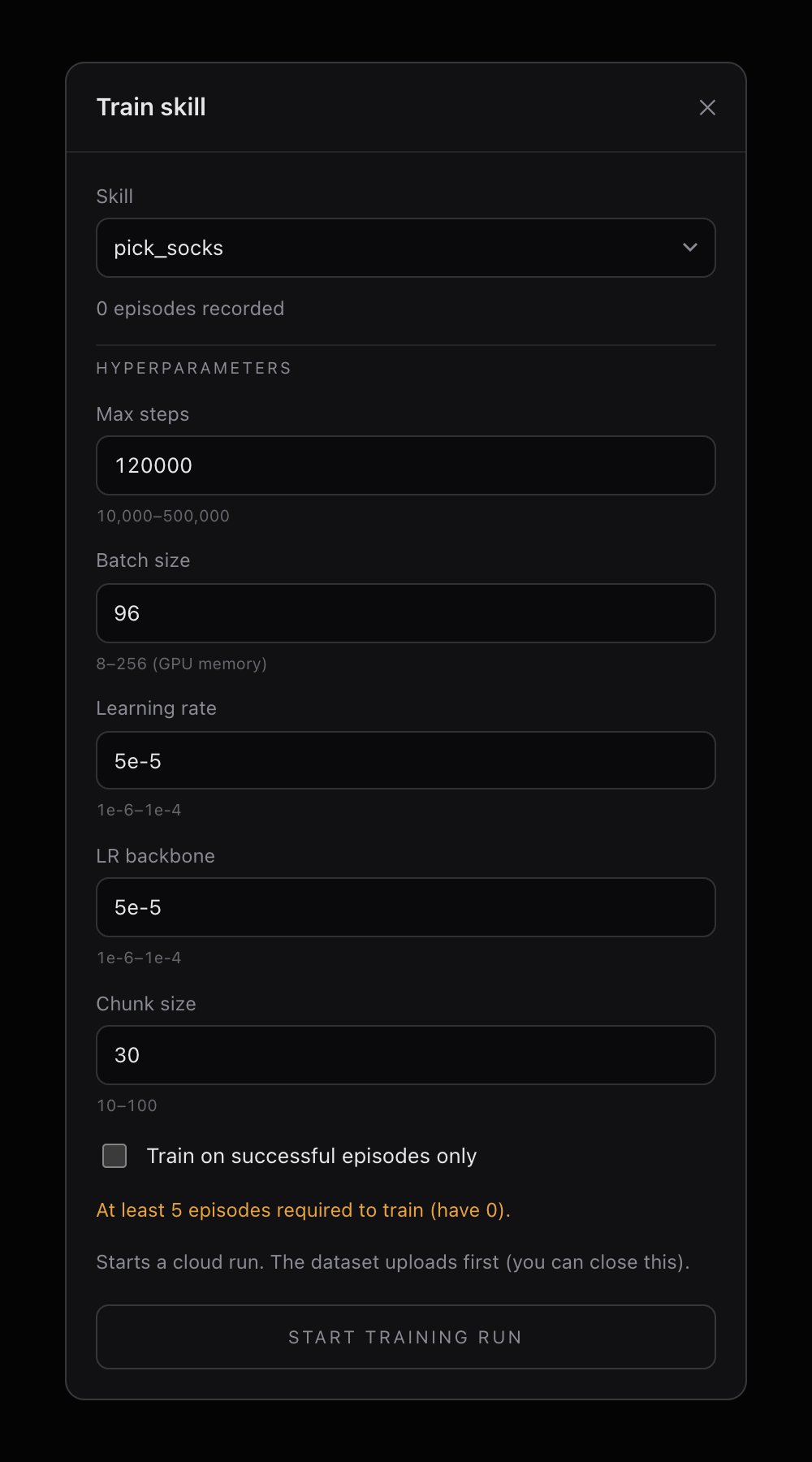
Configure hyperparameters
The Train tab shows your dataset summary and a set of tunable hyperparameters. The defaults work well for most tasks — adjust them only if you have a reason to.| Parameter | Default | What it controls |
|---|---|---|
| Chunk size | 30 | Number of future actions predicted per inference step. Larger values produce smoother but less reactive motion. |
| Batch size | 96 | Training examples per gradient step. Larger batches are more stable but use more GPU memory. |
| Max steps | 120,000 | Total training iterations. More steps can improve quality but eventually overfit on small datasets. |
| Learning rate | 5e-5 | Step size for updating the transformer weights. |
| LR backbone | 5e-5 | Step size for the vision backbone (ResNet18). Lower values fine-tune vision features more gently. |
When to change the defaults
- Small dataset (50–80 episodes): Lower max steps to ~80,000 to avoid overfitting.
- Long episodes or complex task: Increase max steps to 150,000–200,000.
- Robot seems to hesitate during execution: Try a larger chunk size (50–80) for smoother output.
- Robot overshoots or ignores corrections: Try a smaller chunk size (15–20) for more reactive behavior.
Start a training run
Verify sync status
The Train tab shows a dataset card. Confirm the sync badge is green and the episode count looks correct. If it says “Not synced,” go back to the Record tab and upload first.
Each robot can have one active training run at a time by default. If you need concurrent runs, reach out on Discord for approval.
Monitor a run
The Runs tab shows all active (non-completed) training jobs for this skill. Each run card displays:- Run ID — a unique identifier
- Status — the current stage in the pipeline
- A progress indicator
Training run lifecycle
| Status | Meaning |
|---|---|
| Waiting for approval | Run is queued and pending GPU allocation |
| Approved | Resources allocated, about to start |
| Booting | Training instance is spinning up |
| Running | Training is in progress |
| Done | Training finished, model is ready to download |
What happens during training
Behind the scenes, the training server:- Loads your episodes (images, joint positions, velocities) into a normalized dataset
- Trains an ACT model with a ResNet18 vision backbone and a transformer encoder-decoder
- Uses a variational autoencoder (VAE) to learn a latent action distribution
- Saves checkpoints periodically throughout training
- Produces a final checkpoint (
.pth) and dataset statistics file (.pt)