
While the simulator is up, an entire robot is running on your machine: the same Innate OS a physical MARS runs, inside a Docker container — just connected to a physics world instead of motors and cameras.
  • It runs from your checkout. The container has no copy of the software of its own — the innate-os folder you cloned during setup is mounted into it live, so editing files on your machine changes the running robot. No image rebuilds.
  • workspace/ is your part of it. Skills and agents are Python files in workspace/custom_skills/ and workspace/custom_agents/, and the robot hot-reloads them the moment you save. Deeper changes — like the ROS nodes under ros2_ws/ — need a build step; the table further down covers what takes effect when.
A real robot runs the same workspace/, so whatever you build against the simulator deploys to hardware unchanged.
Open the cloned folder in your editor, keep the simulator running, and follow along.

Your first skill, end to end

Skills are Python classes the AI agent can call — the skills overview covers the full interface. The loop below takes about two minutes and exercises the whole pipeline: file watcher, hot reload, the web app, and the simulated base.
1

Create the skill file

Create workspace/custom_skills/victory_spin.py:
from brain_client.skill_types import Skill, SkillResult
from brain_client.skill_types import Interface, InterfaceType


class VictorySpin(Skill):
    mobility = Interface(InterfaceType.MOBILITY)

    @property
    def name(self):
        return "victory_spin"

    def guidelines(self):
        return "Use to celebrate: the robot spins in place once."

    def execute(self, spins: int = 1):
        """Spin the robot in place to celebrate.

        Args:
            spins: How many full turns to make (1-3).
        """
        for _ in range(2 * min(int(spins), 3)):
            self.mobility.rotate(3.14)  # half turn, blocking; two = one spin
        return "Spun with joy", SkillResult.SUCCESS
The agent reads your execute() signature and docstring to learn how to call the skill — type hints and the docstring are the API contract.
2

Save — that's the whole deploy

The container watches workspace/ and hot-reloads skills within a second or two of saving. No build, no restart. If you want to see it happen:
./innate-sim logs brain -n 20
3

Trigger it

Open the web app, go to the skill menu, and run victory_spin (manual triggering) — the simulated robot spins in the 3D view:Edit the file, save, trigger again: that’s the whole iteration loop.

Hand it to an agent

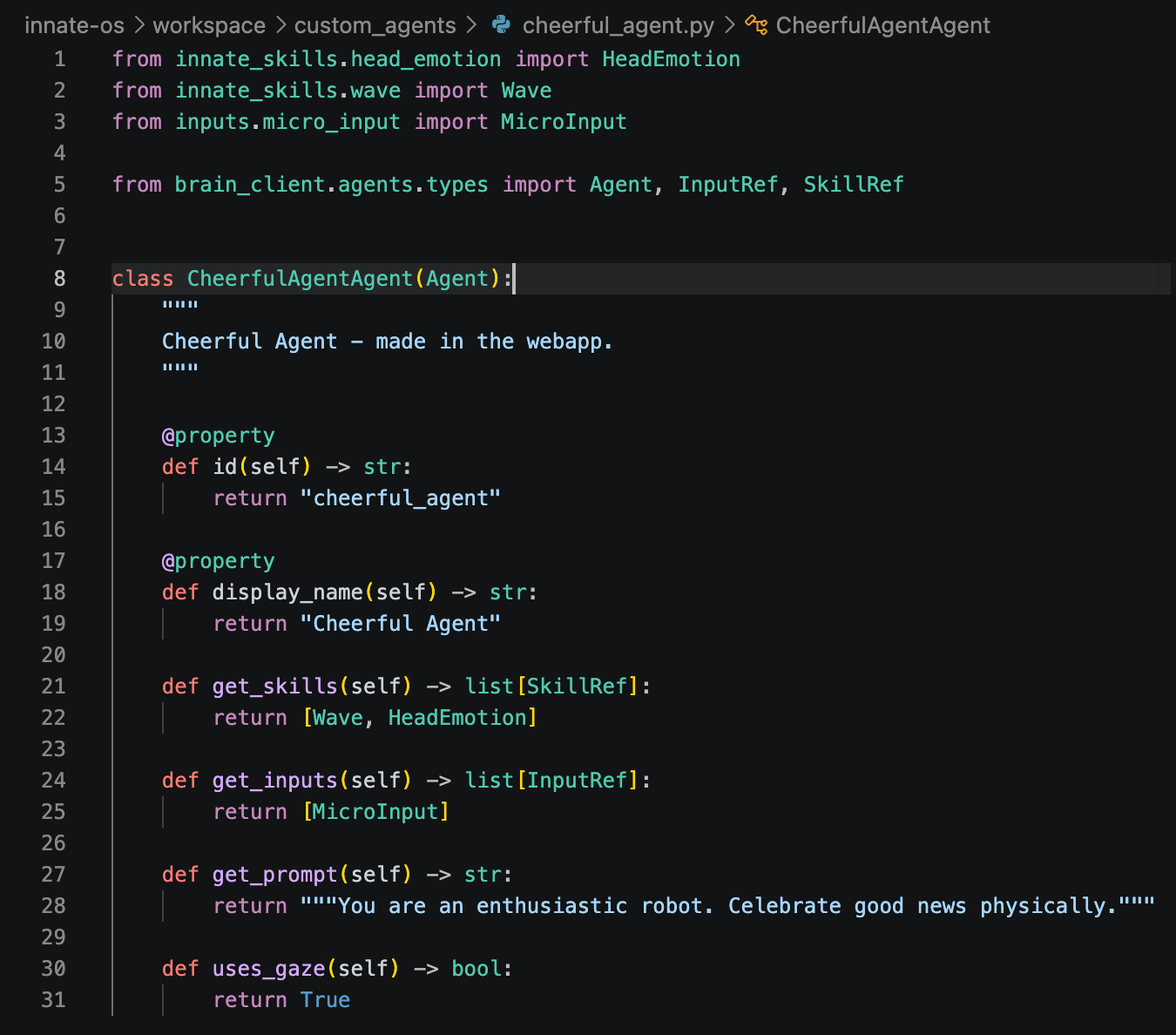
Skills become interesting when an agent can decide to use them. Drop a minimal agent next door in workspace/custom_agents/cheerful.py:
from typing import List
from brain_client.agent_types import Agent


class CheerfulAgent(Agent):
    @property
    def id(self) -> str:
        return "cheerful"

    @property
    def display_name(self) -> str:
        return "Cheerful"

    def get_skills(self) -> List[str]:
        return ["local/victory_spin"]

    def get_prompt(self) -> str:
        return "You are an enthusiastic robot. Celebrate good news physically."
Skill IDs are prefixed by where the skill comes from: your own skills in workspace/custom_skills/ are local/<name>, shipped ones are innate-os/<name> — and get_skills() matches IDs exactly. It hot-reloads the same way. Select Cheerful in the web app’s agent picker, start it, and tell it in chat that you just merged a big PR — it should decide, on its own, that the situation calls for victory_spin. Watch its reasoning stream in the AI-thoughts panel. Agent chat needs a brain backend — the hosted Innate service or a local Gemini key, whichever you chose during setup. See Anatomy of an Agent for everything an agent can define.

When do changes take effect?

You editedWhat to do
skills or agents in workspace/nothing — they hot-reload on save
ROS code in ros2_ws/src/inside the container: innate build, then innate restart
the simulated world itself./innate-sim down && ./innate-sim up — physics runs on the host
If a hot reload ever seems missed, trigger one manually from inside the container:
./innate-sim sh
ros2 service call /brain/reload std_srvs/srv/Trigger

Watching it run

Three windows into the running stack, from shallow to deep:
  • ./innate-sim (no arguments) — the live dashboard: overall health, the world server’s render backend and speed, and the brain log.
  • ./innate-sim logs <target> — tail one subsystem’s log; brain shows skill loading and agent reasoning, startup aggregates everything from the last boot, world-server covers physics and rendering.
  • The tmux session — every subsystem in its own window:
    ./innate-sim sh
    tmux attach -t innate   # zenoh, rosbridge, sim-driver, nav-brain, behavior, arm-ik, vision-nav, console-webapp
    
Prefer Foxglove or your own ROS tooling? Open a Rosbridge connection to ws://localhost:9090 for TF, /scan, /mars/main_camera/points, camera topics, and /cmd_vel teleop. The simulated driver publishes the exact topic surface of the real hardware drivers — same topics, types, rates, and frame names — so anything you build against it (input devices, dashboards, recorders) carries over to hardware unchanged.

What’s different from a real robot

The point of the digital twin is that almost nothing is — but a few hardware-bound features have no simulated counterpart:
  • Speech requires the hosted backend: the web app’s speak bar disables itself with a hint when the sim runs on a local Gemini key or without a backend.
  • Voice input — there is no simulated microphone; talk to the agent through chat instead.
  • Policy-defined (trained) skills are trained from teleoperation recordings on physical hardware; the simulator is for developing and testing code-defined skills and agents.
Everything else — navigation, lidar, cameras, depth, the arm — behaves and publishes like the hardware it stands in for.

The simulated world as a Python object

For scripts, notebooks, and RL loops there is a second way in that needs no ROS and no Docker: VirtualMars, the whole simulated world as one Python object.
from mars_sim_driver.core import VirtualMars

sim = VirtualMars()
sim.step(1.0)                          # settle from spawn; step(dt) runs physics
sim.set_cmd_vel(0.3, 0.5)              # vx m/s, wz rad/s
x, y, yaw = sim.pose()                 # ground truth
rgb   = sim.render_rgb("main")         # 640x480 camera image
scan  = sim.lidar_scan(360, 12.0)      # planar lidar
sim.reset()                            # back to spawn, zero velocity
The simulator README has the walkthrough notebook, the full API, and the architecture of the simulation stack.